
Track Your Marketing Every Day
Every client gets a private dashboard. Log in any day and see what our team has done, what's in progress and what's coming next — plus your contract and marketing history, all in one place, instead of digging through email and chat threads.
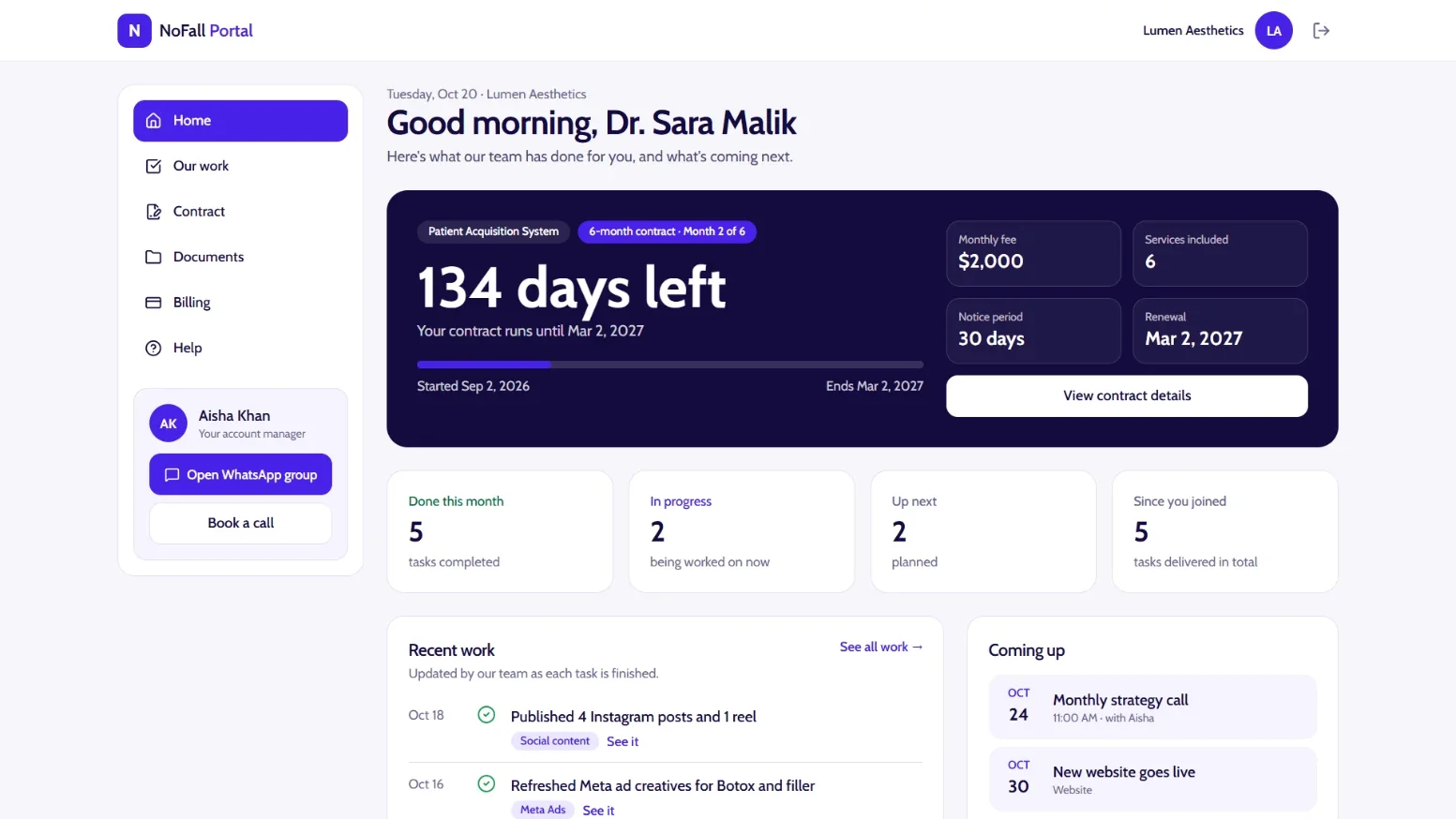
Illustrative example — sample clinic and numbers, not client results.
How Your Tracker Works
Four simple steps — from your first login to your full marketing history.
- Step 1
Log in to your private dashboard
You get your own login on day one. Only your clinic sees your dashboard — no shared links, no forwarded emails.
- Open it any day, on phone or desktop
- One place instead of email and chat threads
portal.nofallmarketing.com/loginWelcome back
Sign in to Your Clinic's dashboard
you@yourclinic.com••••••••Sign in - Step 2
See the work done and what's next
Every finished task is logged by our team as it happens, with dates for upcoming calls, launches and reports.
- Daily progress, not a monthly surprise
- Know exactly what's coming and when
portal.nofallmarketing.com/workRecent work
New ad set launchedToday3 blog posts publishedYesterdayMonthly strategy callNext TueMonthly reportNext Fri - Step 3
Track goals and progress by service
The goals we agree at kickoff stay on your dashboard, and each service — ads, SEO, website, content and AI receptionist — has its own progress bar.
- Everything tied back to your goals
- See which part of the system is moving
portal.nofallmarketing.comYour services this month
Paid ads80%SEO60%Content45%Website100% - Step 4
Find your contract, files and invoices
Your contract, onboarding notes, monthly reports, brand files and invoices are all stored in one place with secure links.
- Full contract and marketing history
- No more digging for attachments
portal.nofallmarketing.com/documentsDocuments
Service contractOpenOnboarding notesOpenMonthly reportOpenBrand filesOpenInvoiceOpen
Illustrative screens — sample tasks and numbers, not client results.